It's time to monetize your work.
Content creators, influencers, UGC creators, photographers, filmmakers.
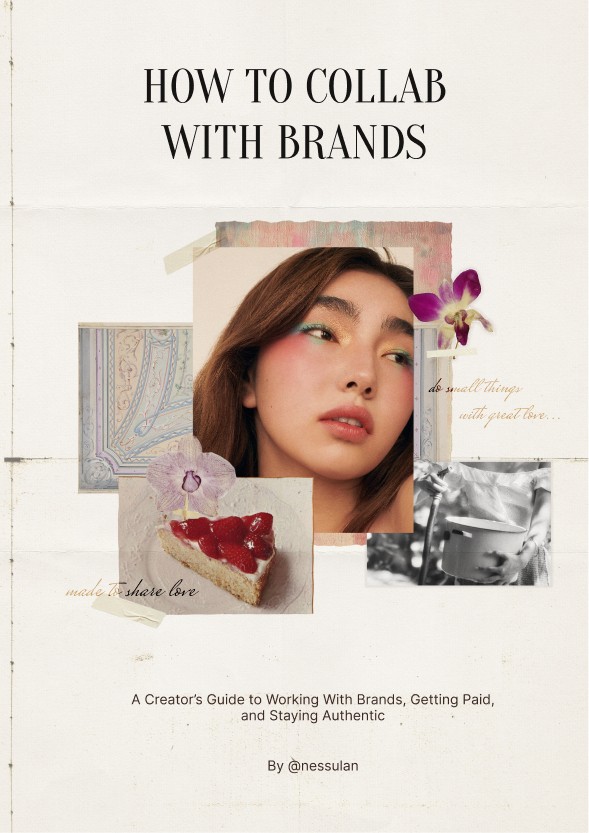
Step by Step Guide for aspiring artists/creators looking to finally monetize their work.
GUIDE
INSTANT BONUS AFTER PURCHASE

(01) media kit template
(02) 100 outreach emails

In this Guide, I will reveal the exact steps to finally break free from these struggles.
You'll learn:
How to approach brand deals as long-term partnerships (strategy)
How to monetize / start earning after a month / convert creativity into paid collabs
How to research brands properly
How to create prof.-looking content with 0 budget
How to post strategically to get collabs
How to start convo with brands naturally
How to connect with media professionals (potentially get signed)
How to actually take it seriously (consistency)
Brands I worked with:
Brands I worked with:





Dior
The North Face
Touchland
The Beauty Pie
Dior Fragrances
CapCut
Beauty Pie
Vigloo
Guerlain
Sephora
Kiehl's
EADEM
Ready to take a bite out of the creator economy?
Get the Guide for $29.99
+ Pitch deck
+ Media kit
Join the Club
How do I draw Frames?
To draw a Frame, click on Layout in the Toolbar, then select Frame. Now, you can click and drag anywhere on the Canvas.
How do I add images?
To add an image, select any Frame, and either double-click on it, or go to the Fill property. In the Fill property, switch to the image icon. Here, you can upload images.
How do I add videos?
To add a video to your site, click the “Insert” button and navigate to the “Media” section. Then, drag and drop a video component onto the Canvas.
FAQ
Does this guide work for any niche?
Does the guide work internationally?
Do I need a big following?
Do I need a fancy camera or aesthetic apartment?
Will brands actually reply to me if I use your pitching method?
Can I start getting paid, or will brands just offer free product?
How long will it take to see results?
What if I'm terrible at organizing my life?
Is this guide beginner-friendly?
30
days from now you could have your first paid collab – or still be thinking about it.
Choose action. Inside the guide, you'll get the exact day-by-day plan to start landing real deals this month.
Grab The Guide Before Bonuses disappear (bonus pitch templates available only for the first 100 buyers).
Get the Guide
How do I draw Frames?
To draw a Frame, click on Layout in the Toolbar, then select Frame. Now, you can click and drag anywhere on the Canvas.
How do I add images?
To add an image, select any Frame, and either double-click on it, or go to the Fill property. In the Fill property, switch to the image icon. Here, you can upload images.
How do I add videos?
To add a video to your site, click the “Insert” button and navigate to the “Media” section. Then, drag and drop a video component onto the Canvas.
02
Brand Research & Alignment
Inside the Guide:
5 Modules.
04
Pitching & Communication
mastery + templates
05
Monetize & Maintain long-term partnerships
03
Create like you're already hired
The Strategy Code
how creators get noticed by brands
01
Bonus Stack
only for the first 100 buyers
Pitch pack (100 emails)
Media kit template

More about me...
© 2024 Ness. All rights reserved.
It’s not just content...
Choose action. Inside the guide, you'll get the exact day-by-day plan to start landing real deals this month.
Your Ness


Aisymal - @aismise1
“I was stuck creating content with no direction. This guide gave me a clear system and removed so much guesswork. I finally feel like I know what I’m doing.”